

If you’re only looking at the basic queries tab in Google Search Console, you’re leaving money on the table. Seriously.
Most website owners check their GSC once a month, scroll through the top 20 queries, and call it a day. Meanwhile, hundreds of ranking opportunities are sitting right there in the data, completely ignored.
I’ve been doing SEO for years, and I can tell you this: the real gold isn’t in your top keywords. It’s in the hidden ones.
Let me show you exactly how to find them.
Why Most People Miss 70% of Their SEO Opportunities
Here’s the problem: Google Search Console shows you thousands of queries. But without the right filters, it’s just noise.
You’re looking at:
- Branded searches (people already know you)
- Random one-word keywords (too broad)
- Queries with 2 impressions (not worth your time)
The keywords that actually matter—the ones that signal real intent and can drive conversions—are buried deep in the data.
That’s where regex filters come in.
What is Regex? (Don’t Worry, It’s Simple)
Regex stands for “regular expressions.” Sounds technical, but think of it like advanced search filters for nerds.
Instead of manually sorting through 10,000 keywords, you use a simple code to instantly filter for exactly what you need.
Google Search Console has regex built right in. Most SEOs just don’t know how to use it.
The Exact Framework I Use to Uncover Hidden Traffic
Here’s my step-by-step process. I do this for every website I work on, and it takes less than 10 minutes.
Step 1: Open Google Search Console
Go to Performance → Queries → Filter → Custom (Regex)
This is where the magic happens.
Step 2: Use These 6 Regex Filters
Copy and paste these filters one at a time to uncover different types of keywords:
1. Short-Tail Queries (1-2 words)
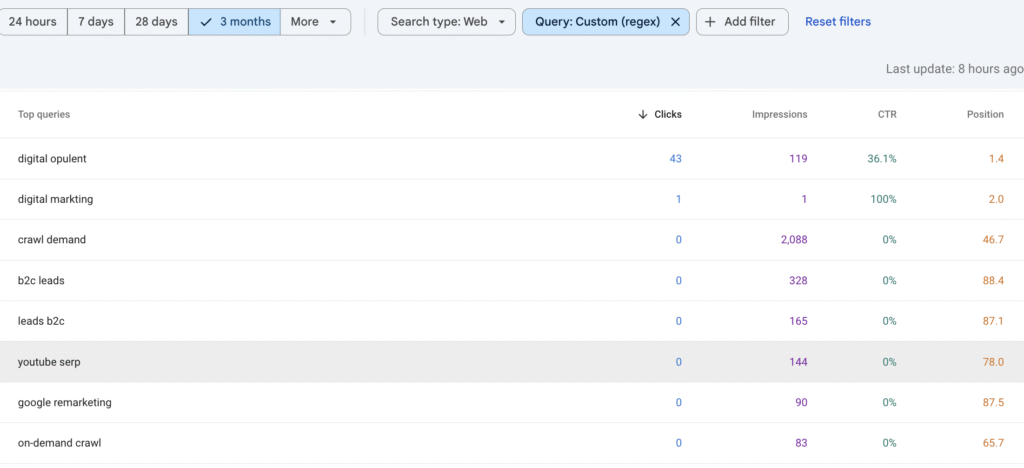
^[^\s]+(\s[^\s]+)?$
These are broad keywords. If you’re ranking on page 2 or 3 for these, a little optimization could push you to page 1.
Example results: “email marketing” or “SEO tools”
2. Medium-Tail Keywords (3-4 words)
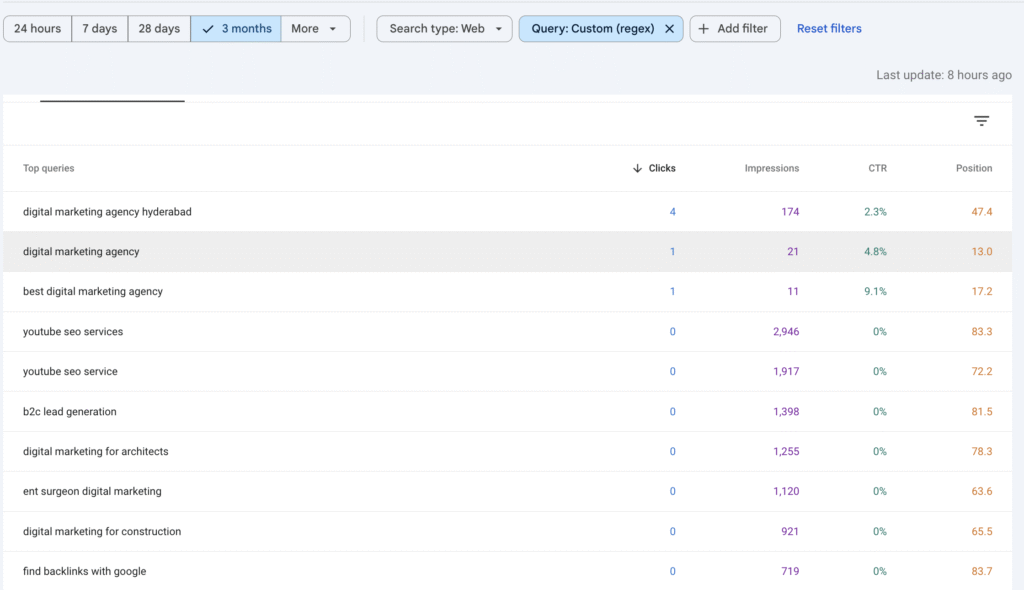
^\S+(?:\s+\S+){2,3}$
The sweet spot. These keywords have decent search volume but less competition than short-tail terms.
Example results: “best email marketing software” or “free SEO audit tools”
3. Long-Tail Queries (5+ words)
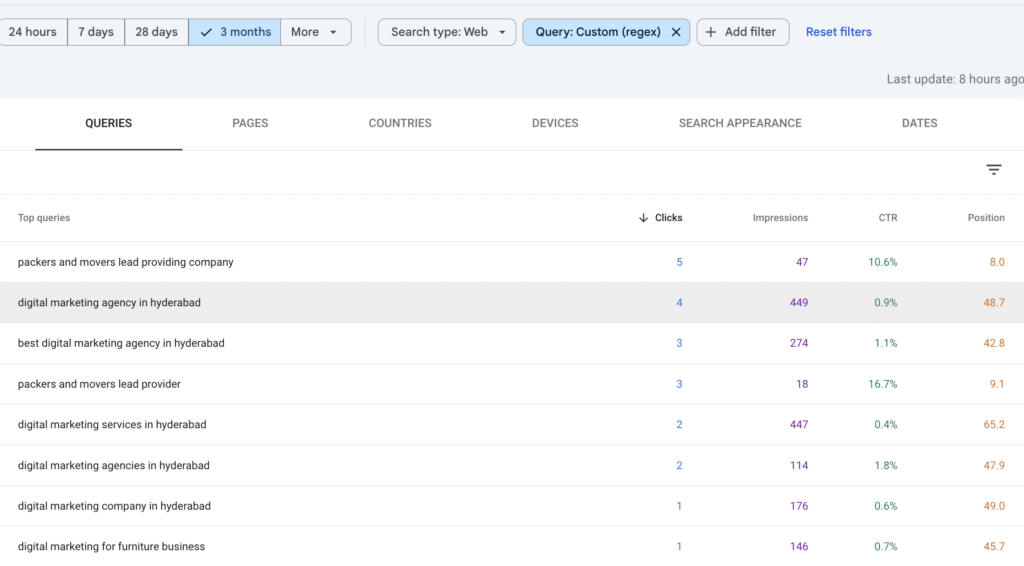
^\S+(?:\s+\S+){4,}$
These convert like crazy because they’re super specific. If someone searches “how to set up email automation for small business,” they’re ready to take action.
Example results: “how to improve website speed for WordPress sites”
4. Question Keywords
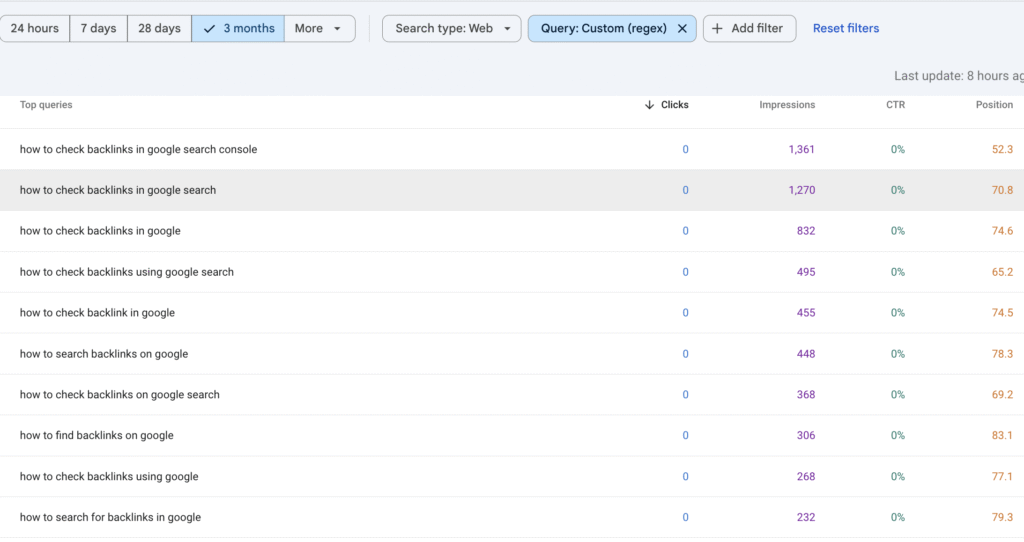
^(what|why|how|where|when|who|can|is|are|do|does|should|which)\b
These are goldmines for blog content. People asking questions are looking for answers—and if you provide them, you win.
Example results: “what is SEO” or “how to rank on Google”
5. Blog-Style Keywords
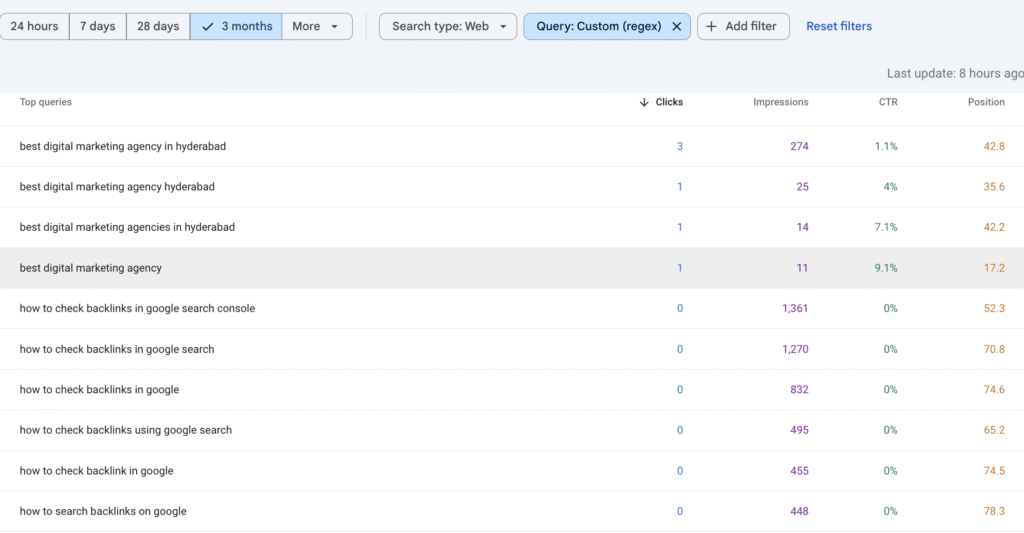
^(how to|best|guide|tips|ideas|review|top|learn|examples|benefits)\b
Perfect for creating helpful content that ranks. These keywords tell you exactly what type of article people want.
Example results: “best SEO tools 2024” or “how to do keyword research”
6. Buy-Intent Keywords (Money Makers)
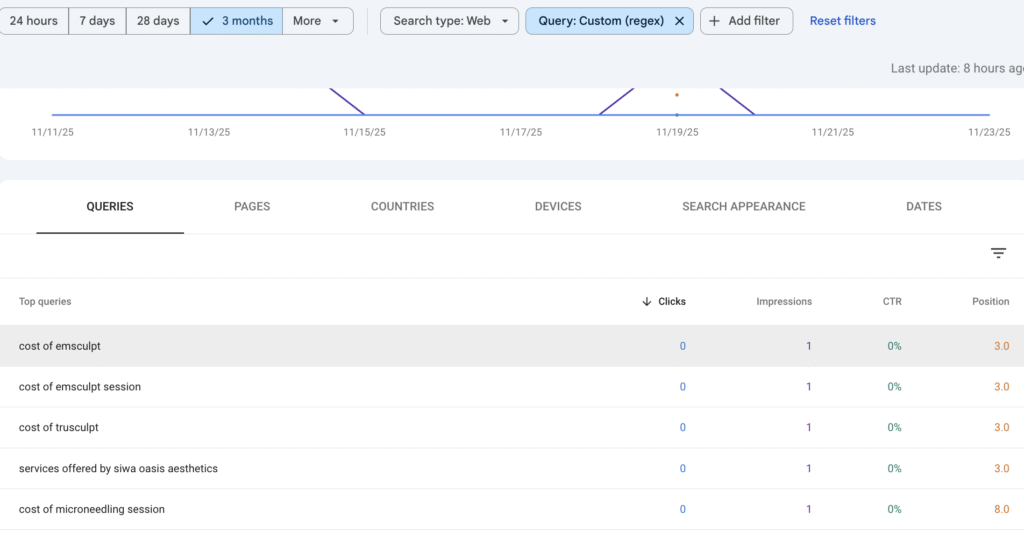
^(buy|purchase|price|cost|hire|near me|services?|company)\b
These are the keywords that actually make you money. Someone searching “buy email marketing software” or “hire SEO company near me” has their credit card ready.
Example results: “SEO services for small business” or “buy domain name cheap”
What to Do With This Data (The Important Part)
Finding the keywords is only half the battle. Here’s how to turn them into traffic:
Step 1: Export Your Filtered Queries
After running each regex filter, export the results to a spreadsheet.
Step 2: Sort by Impressions and Position
Focus on keywords where:
- You’re ranking between positions 5-20 (easy to improve)
- You have at least 50 impressions per month (worth the effort)
Step 3: Group by Intent
Create separate tabs for:
- Informational (blog content)
- Commercial (comparison pages)
- Transactional (service/product pages)
Step 4: Create or Optimize Content
Now you have a roadmap. For each keyword:
If you already have a page:
- Add the keyword naturally to your title, headers, and content
- Improve the content quality
- Add internal links from other pages
If you don’t have a page:
- Create new content targeting that keyword
- Make it better than what’s currently ranking
- Publish and promote it
Real Example: How I Found $5K in Hidden Traffic
I ran this process on a client’s website last month. Here’s what we found:
Using the question keyword filter, we discovered they were ranking #8 for “how to choose accounting software for nonprofits.”
That query had 800 monthly impressions in their GSC data. But they weren’t getting clicks because position 8 is basically invisible.
We:
- Created a detailed comparison guide
- Optimized the title and meta description
- Added a comparison table and FAQ section
Two months later, they’re ranking #3 and getting 120 clicks per month from that one keyword. That led to 8 qualified leads worth about $5,000 in new business.
All from a keyword that was hiding in their Search Console data.
Common Mistakes to Avoid
Mistake #1: Only looking at high-volume keywords
Sometimes a keyword with 50 searches per month but high intent is worth way more than a keyword with 5,000 searches and zero intent.
Mistake #2: Ignoring position 11-30 keywords
These are your easiest wins. You’re already ranking, just not high enough to get clicks. Small improvements can have huge results.
Mistake #3: Not filtering by date
Use the date filter to look at the last 3 months. Old data might include keywords you no longer rank for.
Mistake #4: Forgetting about mobile
Filter by device type. Mobile searchers often use different keywords than desktop users.
Quick Wins You Can Implement Today
Don’t have time for the full process? Try these three things right now:
- Run the buy-intent filter and find one commercial keyword you’re ranking for on page 2. Update that page with better content.
- Run the question keyword filter and write one new blog post answering a question people are already finding you for.
- Sort all queries by impressions and find your highest-impression keywords where you’re ranking #6-15. These are your low-hanging fruit.
The Bottom Line
Google Search Console is free. The data is already there. Most people just don’t know how to extract it.
These regex filters are like having X-ray vision for your SEO. You can see exactly what people are searching for, where you’re close to ranking well, and what content to create next.
Stop guessing. Start using the data you already have.
Try these filters today and let me know what hidden opportunities you find. I guarantee you’ll be surprised by what’s been hiding in your Search Console this whole time.
Copy-Paste Regex Cheat Sheet
Save this for quick reference:
- Short-tail (1-2 words):
^[^\s]+(\s[^\s]+)?$ - Medium-tail (3-4 words):
^\S+(?:\s+\S+){2,3}$ - Long-tail (5+ words):
^\S+(?:\s+\S+){4,}$ - Questions:
^(what|why|how|where|when|who|can|is|are|do|does|should|which)\b - Blog keywords:
^(how to|best|guide|tips|ideas|review|top|learn|examples|benefits)\b - Buy intent:
^(buy|purchase|price|cost|hire|near me|services?|company)\b
Now go find that hidden traffic.